
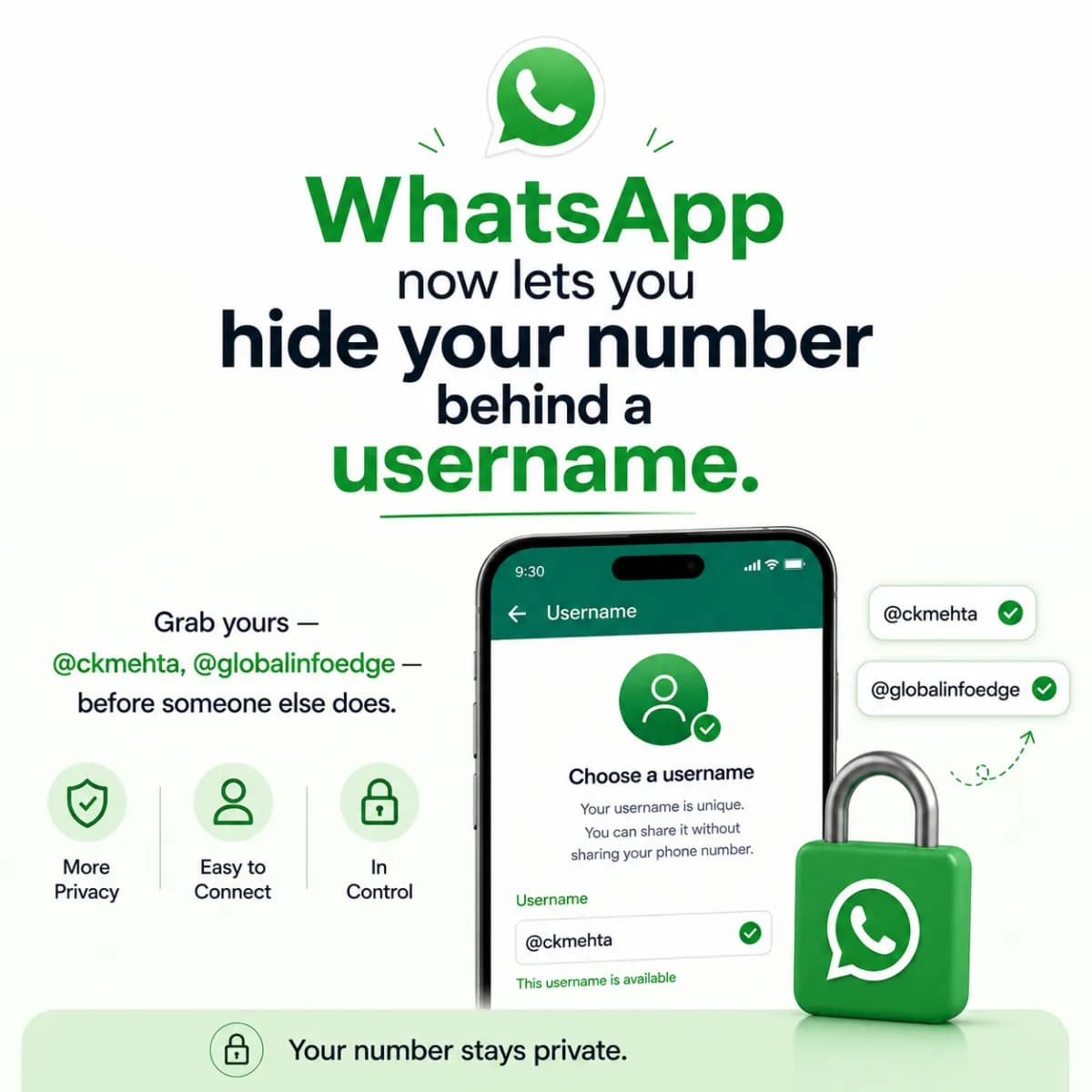
WhatsApp now lets you hide your number behind a username. Grab yours — @ckmehta, @globalinfoedge — before someone else does.
 Chandan KumarFounder · Performance Marketing Specialist
Listen to this article
The short answer
Meta has started rolling out WhatsApp usernames in 2026 — for the first time, people can reach you at a handle like @ckmehta (personal) or @globalinfoedge (business) without ever seeing your real phone number, which a new privacy setting hides from new contacts. An optional 4-digit username key acts as an anti-spam gate: people need both your username and the key to message you, and keyless messages land in a separate Requests folder. There's deliberately no public username directory — someone has to know your exact handle to reach you — which is exactly why the smart move is to claim the username you want before someone else takes it. The rules: 3–35 characters, lowercase letters, numbers, periods and underscores, and it must contain at least one letter (it can't be all numbers). You set it in Settings → Profile → Create username. Rollout is gradual, so update WhatsApp and check now.
On this page
For seventeen years, my phone number has been my business card. It's on my website, in my email signature, on ads, on WhatsApp — because WhatsApp was my number. That's been the deal with WhatsApp since day one: to talk to someone, you had to have their phone number, and to be reachable, you had to hand yours out. It's why my number sits in thousands of phones, why I get spam and random forwards, and why every business owner I know quietly worries about who has their personal mobile. As of 2026, Meta is finally changing that. WhatsApp is rolling out usernames — a handle like @ckmehta for me, or @globalinfoedge for our company — so people can reach you without your phone number ever being visible. This is one of the biggest privacy shifts WhatsApp has ever made, and there's a small window where it really matters: because every username is unique and first-come-first-served, the handle that matches your name or brand can be taken by someone else if you wait. So this is part news, part guide — what actually changed, why it matters for you and your brand, and the exact steps to lock in the username you want now. Let me walk you through it.
What actually changed
Until now, WhatsApp was built entirely around your phone number — it was your identity, your login and the only way anyone could add you. The 2026 update breaks that one-to-one link. You can now create a username — a unique @handle — and people can find and message you by that handle instead of your number. When usernames are active and you've turned on the privacy option, the person or business you're talking to sees your username, not your phone number, especially the first time you reach out. Your number moves into the background; your handle becomes how you're known.
This is the same shift that happened on every other platform years ago — on Instagram you're a handle, not a phone number; on X, on Telegram, the same. WhatsApp was the big holdout, precisely because it was the most personal and phone-number-bound app of all. That's what makes this notable: the world's most-used messaging app, the one most tied to your real number, is finally letting you put a layer of identity and privacy between you and the people who message you. It's rolling out gradually through 2026, so it may not be on your phone yet — but it's coming, and the username land-grab has already started.
What is a WhatsApp username?
A WhatsApp username is a unique @handle (like @ckmehta or @globalinfoedge) that lets people find and message you on WhatsApp without knowing or seeing your phone number. It's tied to your account in place of exposing your number, and — with the matching privacy setting on — it's what new contacts see instead of your real mobile. Every username is unique and claimed first-come-first-served.
Why this is a big deal — for you and your brand
On a personal level, this is about control. Your phone number is one of your most sensitive pieces of data — it follows you across banks, OTPs, contacts and spam lists — and WhatsApp has, until now, forced you to share it with anyone you wanted to chat with. A username means you can give out @ckmehta on a podcast, a LinkedIn post, a business card, a stage, without broadcasting your actual mobile to strangers. Fewer random calls, fewer spam forwards, and a real boundary between 'people I've given my number to' and 'people who just need to reach me'.
For a business, it's bigger than privacy — it's brand identity and trust. A handle like @globalinfoedge is clean, memorable and consistent with your name everywhere else (your website, your Instagram, your email). It looks far more professional and trustworthy than a raw phone number, it's easy to put on ads and packaging, and — importantly — it protects your team: customers reach your brand handle, not a staff member's personal number that walks out the door when they leave. For anyone running WhatsApp as a sales channel, owning a clean brand username is about to become as basic as owning your .com domain.
By the numbers
Think of a WhatsApp username like a domain name or a social handle: there's exactly one @globalinfoedge, and whoever claims it first, owns it. For a brand, that makes it a land-grab — the cost of waiting isn't money, it's the risk that the handle matching your name gets taken by someone else and you're stuck with a compromise forever.
The username key: your anti-spam gate
Meta clearly thought about the obvious worry — 'if people can message me by a public handle, won't I get flooded with spam?' — and built a clever answer: the optional username key, a 4-digit code that acts as a second gate. With it switched on, knowing your username isn't enough; a person also needs the key before they can land in your main chats. Anyone who messages you without the key gets routed into a separate Requests folder, which you can review and approve or ignore — so strangers can't drop straight into your inbox just because they found your handle.
This is genuinely smart, and it's why usernames don't become a spam magnet. You can hand out @ckmehta publicly with no key for easy reach, or share the key only with people you actually want in your main inbox while everyone else sits in Requests. There's also no public username directory — WhatsApp deliberately doesn't let people search or browse for usernames, and won't suggest them — so the only way someone contacts you is by knowing your exact handle. Between 'no directory' and 'the username key', you get reachability and control at the same time, which is the whole point.
What is the username key (4-digit PIN)?
The username key is an optional 4-digit code that adds a second layer on top of your username: to message you, a person needs both your @handle and this key. Messages from anyone who doesn't have the key go to a separate Requests folder instead of your main chats, where you can approve or ignore them. It's WhatsApp's built-in anti-spam gate — turn it on if you share your handle widely and want to keep strangers out of your main inbox.
The rules: what your username can (and can't) be
Before you go to claim a handle, know the format rules so you don't waste time on one that won't be accepted. A WhatsApp username must be 3 to 35 characters, use only lowercase letters, numbers, periods (.) and underscores (_), and contain at least one letter — it can't be all numbers (that would just look like a phone number, which defeats the purpose). WhatsApp also expects it to start with a letter, and it can't be a string that mimics a phone number. No spaces, no capitals, no other symbols, no @ typed into the field itself (the @ is just how the handle is shown).
Beyond the rules, a couple of practical tips. Keep it short, clean and exactly matching the name people already know you by — for me that's ckmehta; for the company, globalinfoedge (matching our brand and domain). Consistency across platforms matters: ideally your WhatsApp handle is the same as your Instagram and brand handle so people don't have to guess. In fact, WhatsApp lets you claim your existing Instagram or Facebook username by linking those accounts in Meta's Accounts Center — a clean way to keep one identity across all of Meta's apps.
| Rule | Detail |
|---|---|
| Length | 3–35 characters |
| Allowed characters | lowercase letters, numbers, period (.), underscore (_) |
| Must contain | at least one letter (can't be all numbers) |
| Should start with | a letter |
| Not allowed | spaces, capitals, other symbols, phone-number-like strings |
| Uniqueness | globally unique — first to claim it, owns it |
Claim your username — step by step
Here's exactly how to set it up. First, update WhatsApp to the latest version from the App Store or Play Store — the feature is rolling out gradually, so if you don't see the option yet, you're not doing anything wrong; check again over the coming weeks. Once it's available to you, the setup itself takes under a minute. The steps below are for your personal account; the business flow (in the WhatsApp Business app) is the same idea — just claim your brand handle like @globalinfoedge instead.
And do the two privacy steps at the end — claiming the username is only half of it. Turning on the option to hide your phone number is what actually delivers the privacy benefit, and the username key is what keeps spam out. Username first to lock in the name, then privacy settings to make it count.
Set up your WhatsApp username (personal & business)
- 1Update WhatsApp to the latest version (App Store / Play Store). The feature rolls out gradually — if you don't see it yet, check back soon.
- 2Open Settings → Profile and tap your profile.
- 3Tap Create username (or Username).
- 4Type the handle you want — e.g. `ckmehta` for personal, or `globalinfoedge` for the brand in the WhatsApp Business app. (Tip: you can also tap Use Instagram / Facebook username to claim your existing handle via Accounts Center.)
- 5If it's available, you'll see a confirmation. Tap Save → Done. (If it's taken, try a clean variation that still matches your name.)
- 6Optional — set a username key: turn on the 4-digit username key so strangers without it land in Requests, not your main chats.
- 7Turn on 'Hide phone number' in your privacy settings, so new contacts and businesses see your username instead of your real number.
Do this now, not later — especially if you run a business
If you take one action from this post, make it this: claim your username as soon as the feature reaches your phone. Because handles are unique and first-come-first-served, the version that perfectly matches your name or brand is a one-time opportunity — once @globalinfoedge or @ckmehta is gone, it's gone, and you're negotiating with periods and underscores forever. This is the exact same logic as registering your .com or your social handles early; the people who grabbed theirs first never think about it again, and the ones who waited are still living with `@global_info_edge_official`.
For businesses, there's a second layer: decide your handle deliberately and protect it. Match it to your brand and your other social handles for one consistent identity, claim it on both your personal and business accounts where relevant, and treat it as a brand asset — because soon customers will expect to reach you at a clean WhatsApp handle the same way they expect a website. We're already advising our clients to lock in their brand username the moment it's available, and to wire it into how they capture and answer leads. If WhatsApp is where your customers talk to you, your username is about to be a real part of your brand — own it before someone else does.
Key takeaways
- WhatsApp usernames are here (rolling out through 2026): people can reach you at a handle like @ckmehta or @globalinfoedge without ever seeing your phone number, which a new privacy setting hides from new contacts. It's the biggest privacy shift WhatsApp has made — update the app and check for it.
- It's a land-grab. Usernames are globally unique and first-come-first-served, with no public directory, so the handle that matches your name or brand can be taken if you wait. Claim @ckmehta and @globalinfoedge as soon as the feature reaches you — treat it like registering your domain.
- Set it up right: Settings → Profile → Create username (3–35 chars, lowercase letters/numbers/periods/underscores, must include a letter). Then turn on 'Hide phone number' for the privacy benefit and the optional 4-digit username key as an anti-spam gate (keyless messages go to a Requests folder).
Frequently asked questions
What is a WhatsApp username and how is it different from my phone number?
A WhatsApp username is a unique @handle (like @ckmehta or @globalinfoedge) that lets people find and message you without knowing or seeing your phone number. Until 2026, your number was your only identity on WhatsApp and you had to share it to be reachable. With a username — and the 'hide phone number' setting on — new contacts and businesses see your handle instead of your real mobile, giving you a layer of privacy and identity WhatsApp never had before.
Does a WhatsApp username really hide my phone number?
Yes, when you turn on the 'hide phone number' privacy option alongside your username. After that, when you message someone (or a business) for the first time with usernames active, they see your username rather than your phone number. Just claiming the username isn't enough on its own — the privacy setting is what actually keeps your number out of view, so do both: create the username, then switch on hide-phone-number in your privacy settings.
Won't a public username flood me with spam?
WhatsApp built two safeguards against exactly that. First, there's no public username directory — people can't search or browse for usernames, and WhatsApp won't suggest them, so someone must already know your exact handle to contact you. Second, the optional 4-digit 'username key' acts as a gate: with it on, anyone who messages you without the key lands in a separate Requests folder you can approve or ignore, instead of dropping into your main inbox. Share your handle publicly without a key for easy reach, or use the key to keep strangers out.
What are the rules for choosing a WhatsApp username?
It must be 3 to 35 characters, use only lowercase letters, numbers, periods (.) and underscores (_), and contain at least one letter (it can't be all numbers, and shouldn't look like a phone number). WhatsApp also expects it to start with a letter, and no spaces, capitals or other symbols are allowed. Pick something short and clean that exactly matches the name people already know you by — and ideally the same handle you use on Instagram and elsewhere, which you can claim via Meta's Accounts Center.
Should my business claim a WhatsApp username, and how soon?
Yes, and as soon as the feature reaches your account. A clean brand handle like @globalinfoedge is more professional and trustworthy than a raw number, keeps customers reaching your brand rather than a staff member's personal phone, and stays consistent with your website and social handles. Because usernames are unique and first-come-first-served, it's a land-grab — the exact handle for your brand is a one-time opportunity. Claim it the moment it's available (in the WhatsApp Business app), match it to your other handles, and treat it as a brand asset like your domain.
Tools & next steps
Put this into practice, go deeper, or see how we'd do it for you.
Written by

Mr. Chandan Kumar
Founder & Performance Marketing Director, Global Info Edge
Founder of Global Info Edge and a performance-marketing specialist with 18+ years — Google & Meta ads, conversion funnels and measurable growth.
View full profile